



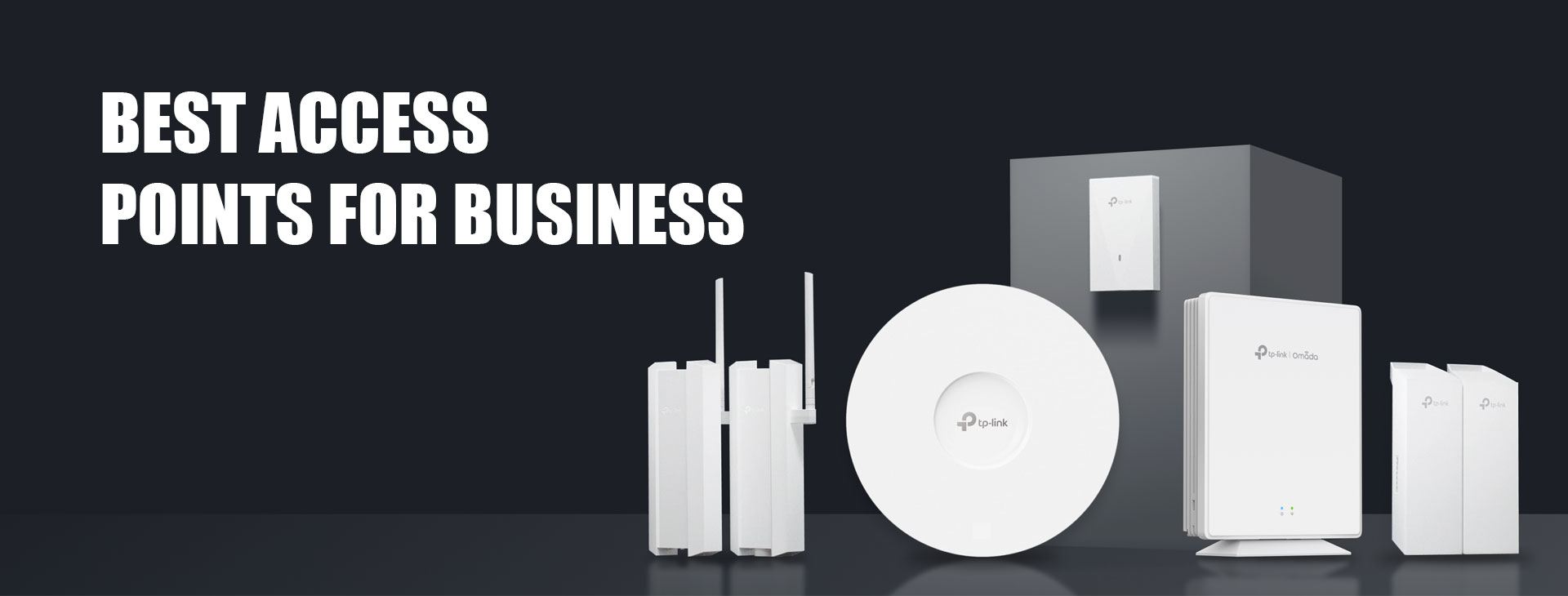
Why Your Business Needs Access Points (APs): From Small Offices to Large Enterprises
In today’s digital-first business environment, stable and high-performance Wi-Fi is no longer optional — it’s essential. Whether you operate a small retail shop, a growing office, a café, a warehouse, or a large enterprise, Access Points (APs) play a critical role in ensuring uninterrupted connectivity, productivity, and customer satisfaction.
What Is an Access Point (AP)?
An Access Point is a networking device that provides wireless connectivity to users within a defined area. Unlike traditional home routers, business-grade APs are designed to support high user density, consistent performance, and centralized management.
For example, ceiling-mounted access points such as Omada EAP653 or EAP653-UR are commonly used in offices and commercial spaces to deliver strong, evenly distributed Wi-Fi coverage across large indoor areas.
Why Access Points Are Essential for Any Business
- Extended Coverage Without Dead Zones
Routers alone cannot efficiently cover large or multi-room spaces. By deploying multiple APs across floors or zones, businesses can eliminate dead spots and ensure consistent connectivity.
In medium to large offices, models like EAP653 or higher-capacity APs such as EAP683-UR are ideal for maintaining strong coverage even during peak usage hours.
- Better Performance for Multiple Devices
Modern businesses rely on dozens or even hundreds of connected devices — laptops, smartphones, POS systems, IP cameras, and IoT devices.
Wi-Fi 6 access points like EAP653 are designed to manage high device density efficiently, while advanced APs such as EAP723 (Wi-Fi 7) are built to support next-generation workloads and future expansion.
- Seamless Roaming Across the Premises
In environments where users are constantly moving — such as offices, retail stores, or hotels — seamless roaming ensures devices automatically connect to the nearest AP without interruption.
Deploying multiple ceiling-mounted APs across the workspace enables smooth mobility for VoIP calls, video meetings, and cloud applications.
- Centralized Network Control
Business access points support centralized management, allowing IT teams to configure, monitor, and maintain the entire Wi-Fi network from a single interface.
This is especially useful when managing a network with multiple APs such as EAP653, EAP683-UR, and EAP723 across different departments or floors.
- Indoor and Outdoor Connectivity
Not all business Wi-Fi needs stay indoors. Outdoor spaces such as courtyards, parking areas, warehouses, and campuses require dedicated outdoor APs.
The EAP225-Outdoor is designed specifically for such environments, offering durable construction and reliable wireless coverage in open or semi-open areas, making it suitable for factories, educational campuses, cafés with outdoor seating, and industrial sites.
Understanding Wi-Fi Standards: Wi-Fi 5, Wi-Fi 6 & Wi-Fi 7
Choosing the right Wi-Fi generation ensures your network meets both current and future business demands.
Wi-Fi 5 (802.11ac): Reliable and Cost-Effective
Wi-Fi 5 access points are suitable for small businesses with moderate usage, such as small offices or retail outlets.
Outdoor models like EAP225-Outdoor deliver stable dual-band performance and are ideal where basic, dependable Wi-Fi coverage is required.
Wi-Fi 6 (802.11ax): Faster and More Efficient
Wi-Fi 6 is designed for high-density environments where many devices connect simultaneously.
Ceiling-mounted APs such as EAP653 and EAP653-UR provide higher speeds, better efficiency, and improved performance in busy environments like offices, schools, hotels, and commercial buildings.
For larger spaces or higher user loads, EAP683-UR offers enhanced capacity and coverage.
Wi-Fi 7 (802.11be): Built for the Future
Wi-Fi 7 represents the next evolution of wireless networking, delivering ultra-high speeds, lower latency, and wider bandwidth.
The EAP723 is a Wi-Fi 7 access point designed for businesses preparing for future technologies such as cloud computing, high-resolution video streaming, AR/VR applications, and data-intensive workflows.
Indoor vs Outdoor Access Points
Indoor Access Points
- Used in offices, meeting rooms, retail stores, restaurants
- Typically ceiling or wall mounted
- Examples include EAP653, EAP653-UR, EAP683-UR, and EAP723
Outdoor Access Points
- Weather-resistant and rugged
- Designed for open or harsh environments
- Example: EAP225-Outdoor
Using the right AP type ensures consistent performance regardless of location.
Final Thoughts: Build a Network That Grows With Your Business
Access Points form the foundation of a professional business Wi-Fi network. Whether you’re a small business starting with a few users or a large enterprise planning for future growth, the right AP deployment ensures:
- Strong and consistent coverage
- High performance under heavy load
- Seamless user experience
- Centralized and secure management
- Scalability for future expansion
By selecting the appropriate combination of Wi-Fi 5, Wi-Fi 6, or Wi-Fi 7 access points, along with indoor and outdoor models such as EAP225-Outdoor, EAP653, EAP653-UR, EAP683-UR, and EAP723, businesses can build a reliable, future-ready wireless network.