




In today’s world, the internet is no longer a luxury—it’s a necessity. From online classes and remote work to streaming and gaming, everything depends on a stable WiFi connection. And at the center of that experience is your router.
The problem is, with so many options available in the market, choosing the right router can feel confusing. Many people assume that any budget router will do the job, while others hear about WiFi 6 but aren’t sure if they actually need it.
In this guide, we’ll simplify everything by comparing three popular TP-Link routers—Archer C50, Archer AX12, and Archer AX53. Each of these serves a different type of user: budget, balanced, and high-performance.
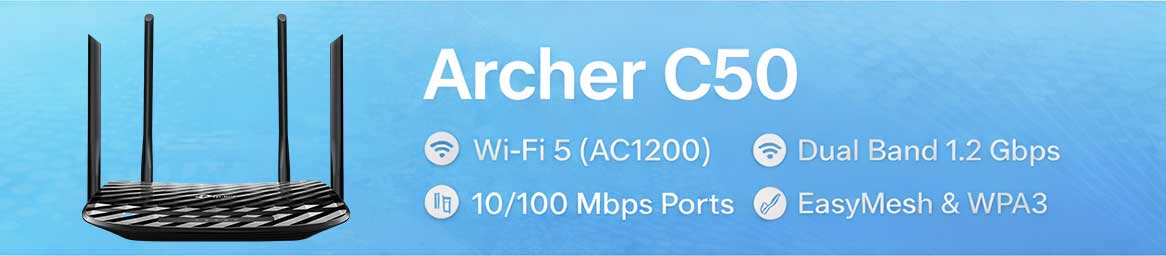
🟢 Archer C50 — Best Budget Router
🔍 Details
If your internet usage is fairly basic—such as browsing Facebook, watching YouTube, attending online classes, or casual browsing—the Archer C50 is a solid and reliable choice. It offers dual-band connectivity, allowing you to balance between better coverage (2.4GHz) and higher speeds (5GHz).
It also includes EasyMesh support, which means you can expand your network easily in the future if your coverage needs grow.
However, there is one important limitation to keep in mind: the Ethernet ports are limited to 100 Mbps. This means if your internet speed exceeds 100 Mbps, you won’t be able to utilize its full potential.
Overall, it’s best suited for users with light usage and a tight budget.
⚙️ Quick Specs
- WiFi Standard: WiFi 5 (AC1200)
- Speed: Up to 1.2 Gbps
- Ports: 10/100 Mbps
- Features: EasyMesh, WPA3, Tether App
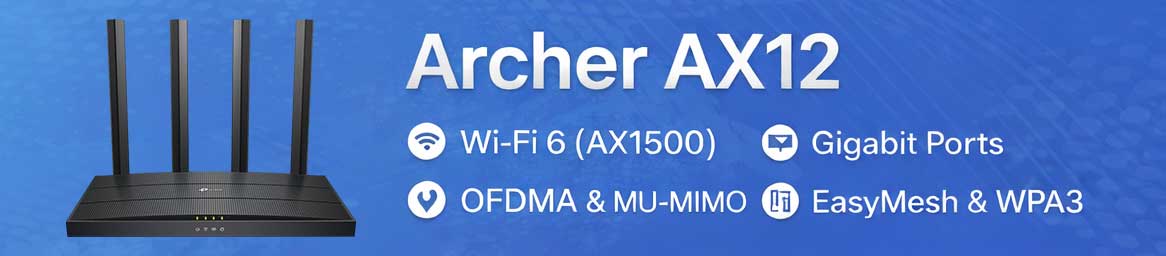
🔵 Archer AX12 — Best Value WiFi 6 Router
🔍 Details
If you have multiple devices at home and want a smoother, more stable experience, the Archer AX12 is a smart upgrade. It supports WiFi 6, which is designed to handle multiple devices efficiently without slowing down your network.
Even if you’re not familiar with technical terms like OFDMA or MU-MIMO, you’ll notice the real-world benefits—less lag, better stability, and improved overall performance.
One of its biggest advantages is the inclusion of full Gigabit ports, allowing you to fully utilize higher-speed internet connections such as 100 Mbps or 200 Mbps without bottlenecks.
This makes it a great “future-proof” option for most households.
⚙️ Quick Specs
- WiFi Standard: WiFi 6 (AX1500)
- Speed: Up to 1.5 Gbps
- Ports: Gigabit
- Features: OFDMA, MU-MIMO, EasyMesh
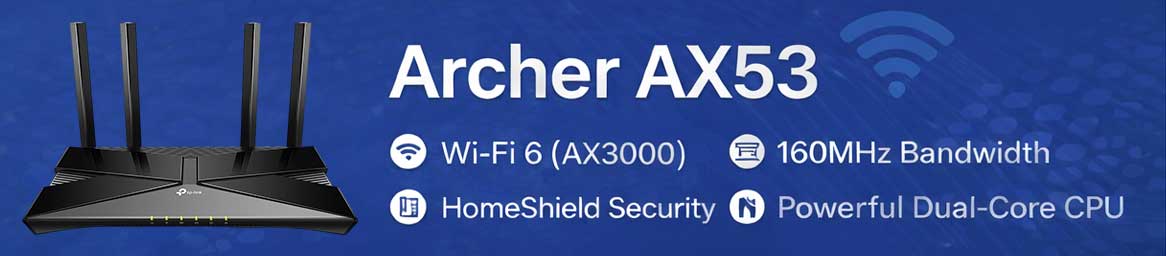
🔴 Archer AX53 — Best High-Performance Router
🔍 Details
For users who demand top-tier performance—such as gamers, streamers, or heavy internet users—the Archer AX53 stands out as a powerful solution. It doesn’t just offer higher speeds; it delivers a significantly better overall experience.
With 160MHz bandwidth support, compatible devices can achieve noticeably higher speeds. Its powerful hardware and processor ensure smooth performance even when multiple devices are connected simultaneously.
Additionally, TP-Link’s HomeShield security adds an extra layer of protection to your network, making it ideal for modern smart homes.
In simple terms, this is the router for those who want performance without compromise.
⚙️ Quick Specs
- WiFi Standard: WiFi 6 (AX3000)
- Speed: Up to 3.0 Gbps
- Ports: Gigabit
- Features: 160MHz, HomeShield, EasyMesh
📊 Quick Comparison (At a Glance)
| Feature | Archer C50 | Archer AX12 | Archer AX53 |
|---|---|---|---|
| WiFi Standard | WiFi 5 | WiFi 6 | WiFi 6 |
| Total Speed | 1.2 Gbps | 1.5 Gbps | 3.0 Gbps |
| Ports | 10/100 Mbps | Gigabit | Gigabit |
| Best For | Basic Use | Family / Value | Heavy Use |
| Ideal Internet | ≤100 Mbps | 100–300 Mbps | 300 Mbps+ |
🎯 Which Router Should You Choose?
At the end of the day, your decision comes down to your usage and internet speed.
If you’re a light user with basic needs and a limited budget, the Archer C50 will do the job just fine. If you want a balanced experience with better performance and future readiness, the Archer AX12 is the safest choice. And if you’re looking for maximum performance with no compromises, the Archer AX53 is the way to go.
❗ A Common Mistake to Avoid
One of the most common mistakes people make is choosing a router based only on price.
In reality, your router should match both your internet speed and your usage. For example, pairing a 200 Mbps connection with a router that only supports 100 Mbps will prevent you from getting the full performance you’re paying for.
🎯 Final Thoughts
A good router doesn’t just provide speed—it ensures stability, reduces lag, and improves your overall internet experience.
So before making a decision, take a moment to consider your actual needs. Choosing the right router once can save you from a lot of frustration later.
💬 Your Thoughts?
Which router are you planning to buy? Or which one are you currently using?
Buy TP-Link Router Now 👇
TP-Link Router
Get the Best Router Today